MuhammadSalis
ChatGPT Atlas, the new browser from OpenAI, blends AI and web-surfing in one. It offers interesting features, but many of its advanced capabilities require a paid plan.
A New Type of Browser: ChatGPT Atlas
On October 21, 2025, OpenAI launched ChatGPT Atlas, a browser “with ChatGPT built in.” OpenAI+1 Rather than just another Chromium-based browser with a chatbot plugin, Atlas aims to integrate the AI assistant at the core of the browsing experience. WIRED+1
From the outset, users open a new tab to a simple interface prompting “Ask ChatGPT or type a URL.” That might feel familiar, but Atlas offers additional features:
- A sidebar chatbot available on any webpage to summarize, interpret or analyze your content. Gadgets 360
- An “Agent Mode” for paying users, in which the AI can attempt multi-step tasks (like picking a flight, filling out forms, comparing deals) on your behalf. Lifewire+1
- “Browser Memories”, an optional feature to allow the browser to remember your browsing context to improve future suggestions. Pureinfotech
In short: the browser is built around ChatGPT, not just paired with it.
What’s Good About It
There’s quite a bit of promise here, especially if you spend a lot of time researching, comparing, or managing information online.
- Seamless workflow: Instead of flipping between browser and ChatGPT, you have the assistant embedded, so you can ask about what you’re seeing right on the page. The Guardian describes this as “a chatbot-style sidebar” next to your tabs. The Guardian
- Task automation: For paid users, the “Agent Mode” is appealing. It raises the possibility of the browser doing more than just show pages — it might act. From booking tickets to collating research, that’s a shift. Gadgets 360
- Personalization & memory: The browser’s ability to remember your preferences, context, and earlier chats means it could eventually feel more like a personal assistant than a generic tool. Ars Technica
- Competitive edge: With Google Chrome still dominant (approx. 60-70%+ market share), a fresh take with integrated AI might attract users looking for something different. Outlook Business
If you’re someone who values time-saving, context-rich browsing, this could be appealing.
The Catch: It’s Paid, With Limitations
However — and it’s a big however — the full potential of Atlas comes at a cost. Several reviewers and users already point to the pay-wall, usage limits, and early-stage quirks.
- Some features (such as full Agent Mode) are restricted to Plus, Pro or Business subscribers. Free users might hit “Messages limit reached” or “No available models support the tools in use” messages. Lifewire
- As one user noted: “It’s not like Google Chrome… it’s all built around a chatbot you’re meant to talk to… but you hit the free plan limit for GPT-5.”
- The user-experience is still rough in places. While an example of the author asking Atlas to take them to a website quickly succeeded, other simple commands produced inconsistent responses.
- Adoption requires a change of habit: we’re used to open browsers free of charge. Asking users to pay for browsing convenience may slow uptake.
- Privacy/data concerns: Because the browser can integrate memory and actions, users must trust how their data is used. One analyst noted the risk: “For users who prefer anonymity and privacy, the browser may be too great of a risk.” The Guardian
In essence: the “yes, it works” side is there — but the “is it worth switching and paying?” side depends on how much you value the extra assistance.
Will It Challenge Chrome (or Google Search)?
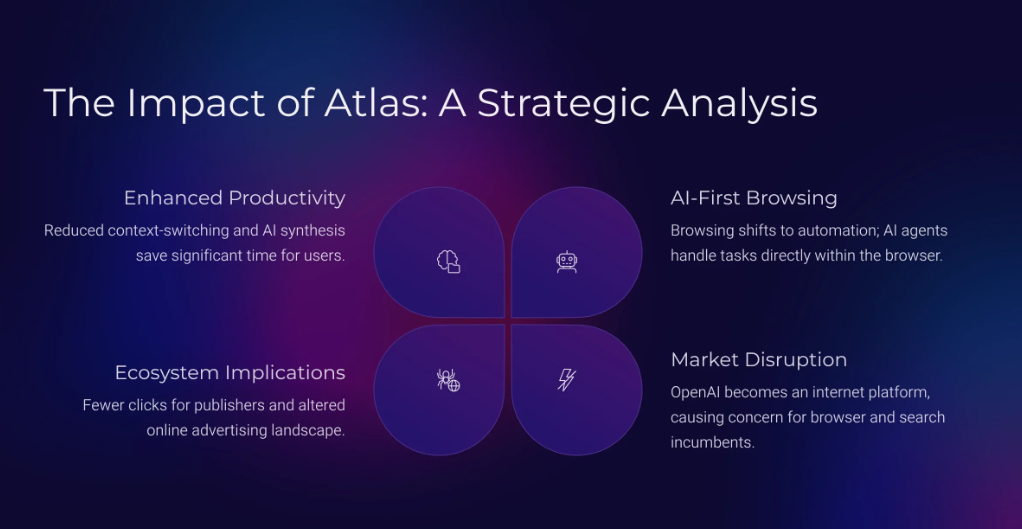
OpenAI clearly sees Atlas not just as a browser but as a strategic pivot. According to reports, Google shares dropped after the launch announcement — suggesting investors see threat. Outlook Business
The browser aligns with a vision where the user doesn’t manually search and click — instead you ask the AI and it delivers and acts, cutting out layers of the web. One developer quoted:
“You don’t search for ‘hotels in Miami’ and click through Google results anymore. You just ask ChatGPT and it connects you directly.”
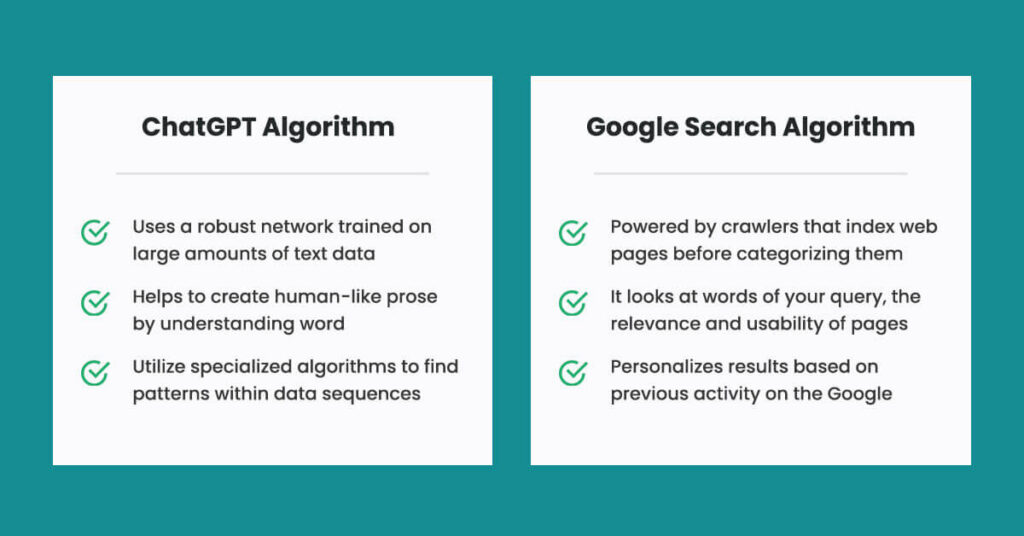
That speaks to a broader shift: the search engine middle-man (Google) vs. a conversational agent that accelerates tasks.
Yet: Chrome has massive entrenched user base, extension ecosystem, cross-platform sync and deep integration with Google’s services. Overcoming that in full is a long game.
Is It Right for You (and Worth Paying For)?
Here’s a quick checklist to help decide:
You’ll likely benefit if you:
- Do a lot of research, comparisons, or multi-step browsing tasks (travel booking, shopping, technical research)
- Appreciate an assistant actively helping you rather than just passive browsing
- Are fine with a subscription model and are willing to pay for added productivity
- Are comfortable trying a newer product (with occasional quirks) and want to be an early adopter
You may want to wait if you:
- Primarily use the browser for standard browsing and don’t need deep AI assistance
- Are price-sensitive and don’t want another recurring cost
- Care intensely about privacy and want minimal data collection or AI-memory features
- Prefer a stable, mature product over one still in early rollout across platforms
Final Thoughts
ChatGPT Atlas is an exciting step — a strong experiment in redefining what a browser can be. It pushes the idea that the browser isn’t just a window to the web but a smart assistant powered by context-aware AI.
But its “killer” moment might still be ahead. The features show what’s possible, but the full value lies in how it performs when integrated into daily work and life — across platforms, with stability, with full feature set unlocked.
If you’re willing to pay and your browsing habits lean into tasks, speed and smart assistance — Atlas might be worth jumping on early. For many others, it might be a browser to keep an eye on until the ecosystem matures.